
How AI Tools are Changing the Way Developers Work: Artificial Intelligence in Software Development in 2026
AI Generated
Last Updated on October 8, 2026 by Rishi
Open a developer’s screen today, and you’ll notice something that would have looked odd three years ago: less time typing boilerplate, more time reviewing code that someone (or something) else wrote. The tools have changed. So has the job.
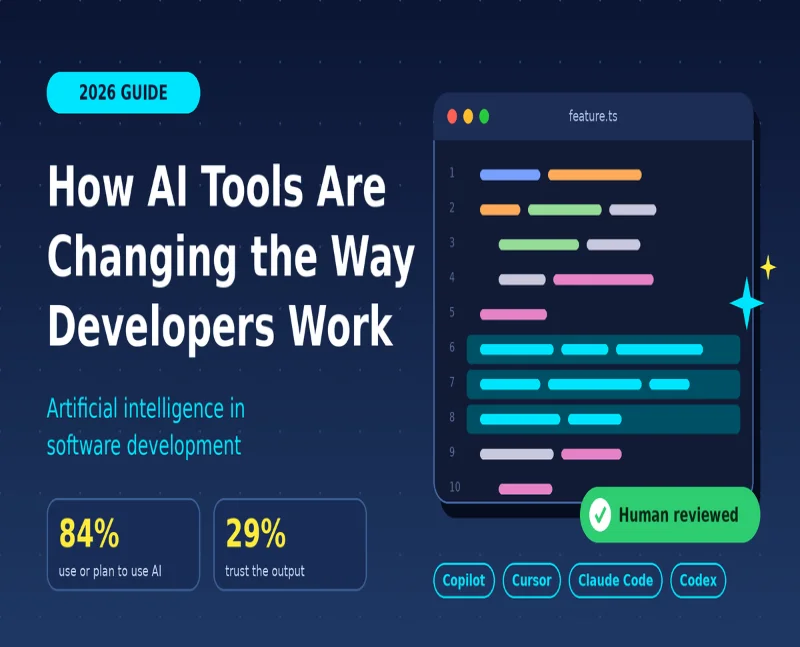
That is the real story of artificial intelligence in software development. According to the Stack Overflow 2025 Developer Survey, 84% of developers use or plan to use AI tools, up from 76% a year earlier. Yet only about 29% say they trust the accuracy of the output. Usage is climbing while confidence is falling, and that gap decides which teams gain speed and which simply ship bugs faster.
In this guide, you’ll learn how AI in software development is reshaping daily work, what solid research says about productivity and risk, and how AI software developers (and the teams that hire them) can get real value without losing control of quality.
What Is Artificial Intelligence in Software Development?
In simple terms, it means using machine learning models, especially large language models (LLMs) and generative AI, to help write, test, review, secure, and maintain code. The developer still owns the design decisions, the validation, and the release.
The evolution happened in three steps:
- Autocomplete: the tool predicts your next line.
- Chat assistants: you describe a problem and get code or explanations back.
- AI coding agents: the tool plans a change, edits several files, runs tests and opens a pull request for you to review.
Most 2026 tools now sit in that third step. GitHub Copilot, Cursor, Claude Code and OpenAI Codex all lean toward agent-style work, which is why the developer’s role is shifting so quickly.
How AI Tools Are Changing a Developer’s Daily Workflow
From Writing Code to Directing and Reviewing It
The biggest change isn’t raw speed. It’s where your attention goes. Developers now spend less time on syntax and more time on describing the task clearly, checking the diff, and deciding whether the result fits the architecture. Writing a good task description has quietly become a core engineering skill.
Where AI Helps Most
- Boilerplate and scaffolding: forms, API clients, and config files.
- Test generation: covering edge cases you would otherwise skip.
- Debugging and code explanation: especially handy when you inherit a legacy codebase.
- Documentation and pull request summaries: the chores nobody enjoys.
- Refactoring and migrations: repetitive changes across many files.
- Security and quality checks: flagging risky patterns before human review.
Traditional vs AI-Assisted Workflow
| Stage | Traditional workflow | AI-assisted workflow |
| Planning | Manual task breakdown | AI drafts user stories and task lists for human review |
| Coding | Everything written by hand | AI drafts, developer edits and verifies |
| Testing | Tests written after the fact | Test cases generated alongside the code |
| Code review | Fully manual | AI pre-screens, humans make the call |
| Documentation | Often skipped | Drafted automatically, then corrected |
| Onboarding | Weeks of reading code | Ask questions about the codebase directly |
Key Trends in AI in Software Development Right Now
Agents Are Replacing Autocomplete
The market has split into inline assistants, AI-native editors such as Cursor, and terminal or cloud agents such as Claude Code and Codex. Nearly all are racing toward autonomous, multi-step work. The catch: parallel agents and long sessions can make usage-based bills unpredictable, so set team-level limits early.
Typed Languages Are Winning
GitHub’s Octoverse 2025 report shows TypeScript overtaking both Python and JavaScript as the most used language on GitHub in August 2025. GitHub ties the shift partly to AI, since type systems catch mistakes in generated code earlier.
A New Generation Starts With AI
The same report says roughly 80% of new GitHub developers use Copilot in their first week. India is a big part of this story: it added 5.2 million developers in a year, and GitHub projects 57.5 million by 2030. For hiring managers, the next wave of engineers will simply assume AI is part of the toolkit.
What Research Says About AI and Developer Productivity
The Perception Gap
The most discussed study comes from METR. In a randomized trial, 16 experienced open-source developers completed 246 real tasks in their own repositories. When AI was allowed, tasks took 19% longer. The developers, however, believed AI had made them about 20% faster.
One caveat matters: the trial used early-2025 tools, and METR now treats the result as historical rather than a verdict on today’s tools. The lesson isn’t “AI is slow.” It’s that gut feeling is a poor productivity metric, so measure real outcomes.
AI Amplifies What You Already Are
Google Cloud’s 2025 DORA report, based on nearly 5,000 technology professionals, reached a similar conclusion from another angle. AI acts as an amplifier: strong teams get better, while struggling teams see their problems magnified. The biggest returns came from healthy internal platforms, clear workflows, and team alignment, not from the tools alone.
Translation: if your reviews are slow and your tests are flaky, AI won’t fix that. It will push more code into the same bottleneck.
Risks of Artificial Intelligence in Software Development
The Trust Problem
Stack Overflow found that 46% of developers distrust the accuracy of AI output, up from 31% the year before, and 45% said debugging AI-generated code is time-consuming. Developers keep using the tools anyway, but many still want to understand every line they ship fully.
The Security Problem
Veracode’s 2026 GenAI Code Security Report tested more than 100 models and found that roughly 44% of code generation tasks introduced a risky vulnerability. Models now write code that runs almost perfectly, yet the average security pass rate has barely moved, from 55% in the first report to 56%. Veracode sells security tools, so read it with that in mind. Still, the benchmark is consistent year to year, and the practical message is clear: scan everything.
Pros and Cons of AI in Software Development
| Pros | Cons |
| Faster boilerplate, tests and documentation | “Almost right” code that is costly to debug |
| Quicker onboarding to unfamiliar code | Security flaws slip through without scanning |
| Less repetitive work, more time for design | Juniors may skip learning the fundamentals |
| Lower barrier for new developers | Usage-based pricing can be unpredictable |
| Better test coverage with less effort | Real productivity gains are hard to measure |
Common Mistakes to Avoid When Using AI Coding Tools
- Trusting code because it compiles. Working and secure are two different things.
- Judging productivity by feel. Track cycle time, review time and defect rates instead.
- Giving agents vague tasks. Unclear scope invites out-of-scope edits.
- Skipping guardrails. Without linters, type checks and security scans in CI, nothing catches the gaps.
- Paying for overlapping tools. Most teams do fine with one editor, one terminal agent and, if needed, one cloud agent.
- Letting juniors skip the basics. Everyone should be able to explain every line they commit.
A Practical Playbook for Using AI in Your Workflow
- Start with low-risk work: tests, documentation and boilerplate.
- Give context: the goal, constraints, relevant files and the test that must pass.
- Keep changes small so diffs stay easy to review.
- Review AI code like a colleague’s pull request, not like a finished answer.
- Automate checks: linting, type checking, SAST and dependency scans in your CI/CD pipeline.
- Track before and after: lead time and change failure rate are good DORA-style metrics.
- Write a short team policy on approved tools and what code or data may go into prompts.
Here’s an illustrative example. Picture a six-person fintech team that uses AI only for test generation and API boilerplate, requires a security scan on every pull request and compares change failure rates after a month. It is slow, unglamorous and effective.
Future Outlook: Where AI Software Developers Are Headed
Three shifts look likely. First, developers will spend more time defining problems, designing systems and verifying results than writing lines. Second, verification tooling, such as automated tests, security gates and AI code review, will matter as much as generation. Third, governance (which models, where, with what data) will move from nice-to-have to requirement, especially in regulated fields like fintech and healthcare.
The skills that should age well are problem decomposition, testing, security awareness and clear writing, because prompts and specifications are now part of the job.
Conclusion: Use AI to Move Faster, Not Blindly
AI has moved from experiment to everyday tool, but the evidence says the winners are disciplined, not just fast. The key takeaways:
- Adoption is near-universal, while trust is low, and both facts are healthy.
- AI amplifies your existing engineering habits, good or bad.
- Review, testing, and security scanning are non-negotiable.
- Measure outcomes instead of trusting how fast work feels.
Your next step is simple: pick one low-risk task this week, use AI for it, and measure the result honestly. The developers who thrive won’t be the ones who type the least. They’ll be the ones who verify the best. Which task will you start with?
Frequently Asked Questions
What is AI in software development?
It is the use of machine learning and generative AI to help write, test, review, secure and maintain code. Tools range from autocomplete to agents that complete multi-step tasks, with humans reviewing the results.
Will AI replace software developers?
Current evidence points to a change in the role, not replacement. AI drafts code, but people still define requirements, weigh trade-offs and answer for what ships. In Stack Overflow’s survey, nearly 77% said vibe coding is not part of their professional work.
Which AI tools do developers use most?
GitHub Copilot, Cursor, Claude Code and OpenAI Codex are front-runners among specialist tools, and chatbots remain common. The right pick depends on whether you want inline help, an AI-native editor or an autonomous agent.
Is AI-generated code safe for production?
Only after review and scanning. Veracode found roughly 44% of tasks produced a risky vulnerability, so run static analysis, dependency checks and human review before merging.
Does AI really make developers faster?
It depends on the task, codebase and team. METR measured a slowdown with early-2025 tools, while DORA finds returns depend on team foundations. Measure your own cycle time and defect rates.
How can beginners use AI without hurting their learning?
Try the problem yourself first, then ask AI to explain or critique your solution. Never commit code you can’t explain line by line.
What skills matter most for AI software developers?
Breaking problems into clear tasks, reviewing code, testing, security basics and system design. Clear writing helps too.
Related Articles:
7 Ways Digital Marketers Can Leverage AI Tools
Top Benefits of AI for Solopreneurs
How Businesses Use AI to Increase Productivity
How AI Is Reshaping Small Business Operations
Best Ways to Adapt SEO Strategy for LLM-Powered Search
How Educators Can Use Generative AI for Student Innovation
Free Online Utility Tools to Improve Productivity

Rishi Pundir is an entrepreneur and author who enjoys exploring the latest business and technology trends, news, and insights across the web. He graduated in computer science and has years of experience in digital marketing. He is also passionate about writing in-depth articles on business, emerging technologies, innovations, digital marketing, and strategies for online business growth. He is the main editor of Trending Business Tips.