PHP2Shell RCE Vulnerabilities: What Website Owners and Small Businesses Need to Know in 2026
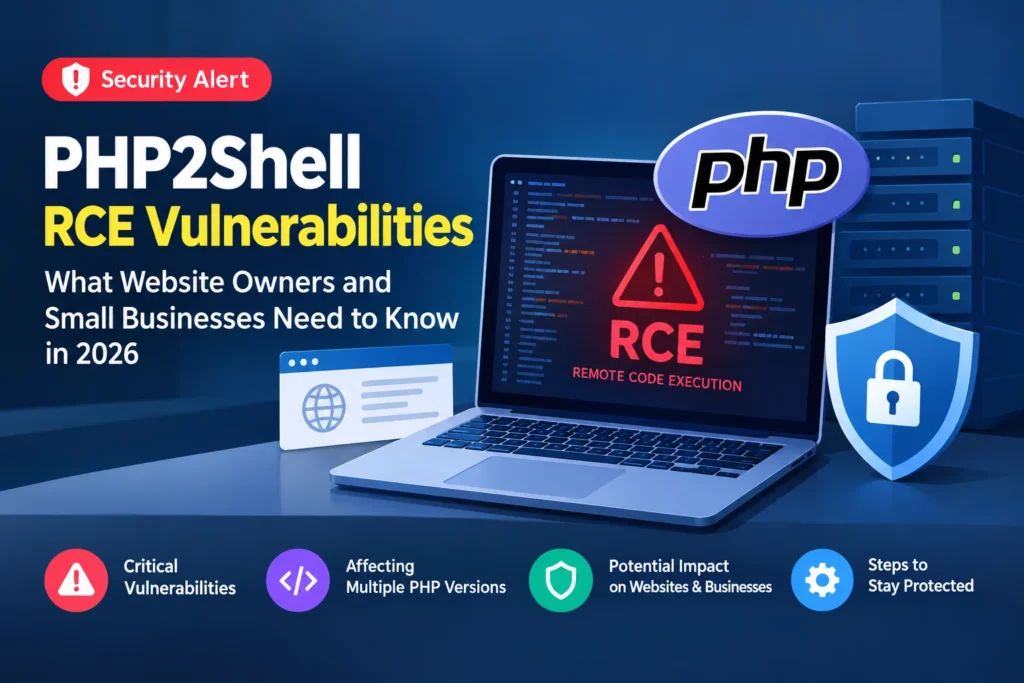
AI Generated
Last Updated on October 23, 2026 by Rishi
A critical security flaw in the software powering your website could put your business data, customer information, and online operations at risk.
On October 21, 2026, the PHP development team released emergency security updates addressing two critical remote code execution (RCE) vulnerabilities, tracked as CVE-2026-109618 and CVE-2026-109619. Collectively known as PHP2Shell, the vulnerabilities could allow unauthenticated attackers to execute code on affected servers.
The flaws have drawn attention because PHP powers a wide range of websites and web applications, including WordPress sites, online stores, and custom-built business platforms. Security researchers have also reported exploitation attempts around the time of the disclosure.
For small businesses that depend on their websites to generate leads, process orders, or communicate with customers, this is a reminder that website security extends beyond updating themes and plugins.
Here’s what happened, which PHP versions need attention, and what website owners should do now.
What Is the PHP2Shell Vulnerability?
PHP2Shell refers to two critical vulnerabilities in PHP, a server-side programming language used to build and operate dynamic websites.
Both vulnerabilities have a CVSS v4.0 severity score of 9.2, placing them in the critical category.
The two flaws are:
- CVE-2026-109618: A remote code execution vulnerability involving memory corruption during out-of-memory error handling.
- CVE-2026-109619: A remote code execution vulnerability involving stale internal state and references to memory that has already been released.
In simple terms, these flaws can cause PHP to handle internal data incorrectly under particular conditions. An attacker may be able to exploit that behaviour to execute code on a vulnerable server.
The potential consequences depend on the server configuration and the permissions available to the affected PHP process. Successful exploitation could allow an attacker to access files, modify data, or carry out further malicious activity.
One of the main concerns is that exploitation does not necessarily require an authenticated account. A vulnerable, internet-facing PHP installation may be exposed to requests from unauthenticated attackers.
The issue affects the PHP runtime itself, rather than being limited to a particular WordPress plugin or website theme.
What Happened in the October 2026 Disclosure?
The PHP project announced the critical vulnerabilities on October 21, 2026, releasing security updates for supported PHP branches.
The disclosure became particularly urgent as technical details and proof-of-concept research began circulating publicly. Such material can make it easier for other researchers and attackers to understand how a vulnerability works.
On October 22, reporting based on Amazon Threat Intelligence described PHP2Shell exploitation attempts dating back to October 17, before the security patches were publicly released. Amazon’s findings indicate that attempts occurred before many website administrators were aware of the issue; they do not establish that every attempt succeeded.
Security agencies and technology providers subsequently advised organisations to identify affected systems and apply the available fixes promptly.
For website owners, the timeline matters because installing a patch today does not establish whether an earlier attack occurred. Businesses should address the vulnerability and consider whether their exposure before patching warrants a review of security logs.
Which PHP Versions Are Affected?
The PHP project released the following fixed versions on October 21, 2026.
| PHP branch | Fixed version |
|---|---|
| PHP 8.5 | 8.5.12 |
| PHP 8.4 | 8.4.27 |
| PHP 8.3 | 8.3.36 |
| PHP 8.2 | 8.2.35 |
Earlier versions in these branches require attention. PHP 8.1 and older branches are also a concern, but they are no longer covered by ordinary upstream security support.
Some operating system vendors and commercial providers supply security fixes for older versions. These fixes may be delivered as backported patches without changing the displayed PHP version to match the upstream fixed release.
Consequently, website owners should not rely on the version number alone when using vendor-managed PHP packages.
Check the official PHP release announcement and confirm the applicable remediation with your hosting provider or software vendor.
Is Your WordPress Website at Risk?
WordPress is built primarily with PHP, which means a WordPress website can be exposed if the PHP runtime serving it is vulnerable.
The same concern applies to other PHP-powered platforms, including Drupal, Joomla, WooCommerce stores, and custom web applications.
Keeping WordPress core, themes, and plugins updated is important, but those updates do not automatically fix a vulnerability in the underlying PHP runtime.
To check your WordPress site’s PHP version:
- Sign in to your WordPress dashboard.
- Navigate to Tools → Site Health.
- Select the Info tab.
- Expand the Server section.
- Check the PHP version displayed.
This is a useful starting point, but the hosting provider should confirm that the live web-serving PHP installation has been patched. The PHP version used by command-line tasks or other applications may differ from the one serving your website.
If you use managed WordPress hosting, ask the provider whether the relevant security fixes have been applied to your account.
How PHP2Shell Could Affect Small Businesses
A successful attack can have consequences beyond the immediate technical issue. The actual impact depends on the attacker’s access, server permissions, and the data or services available to the compromised process.
Customer data exposure: An attacker may be able to access files, credentials, or application data available to the PHP process. Depending on the configuration, this could expose sensitive business information.
Website disruption: Malicious changes or processes could affect website availability, interrupt online sales, or prevent customers from submitting enquiries.
SEO and reputation damage: If a compromised website is modified to serve spam, redirect visitors, or distribute malicious content, it may create security warnings and damage customer trust. Search visibility could also be affected if the compromise changes the content or behaviour of important pages.
Recovery costs: Investigating a potential compromise, restoring clean files, rotating credentials, and securing the server can consume time and money, particularly for businesses without dedicated IT teams.
These are potential consequences of successful exploitation, not proof that every website running an affected PHP version has been compromised.
What Should Website Owners Do Now?
Applying the appropriate security update is the primary response. Other security measures can help reduce risk and identify suspicious activity, but they are not substitutes for patching.
1. Apply the relevant PHP security update
If you manage your own server, follow the update instructions for your operating system and PHP installation. If your website uses containers, make sure the PHP runtime inside the relevant container image is also updated and redeployed.
After updating, verify that the patched runtime is active.
2. Contact your hosting provider
If your host manages PHP, ask it to confirm the applicable fix, including coverage for all relevant domains, subdomains, and application environments.
If immediate patching is not possible, seek guidance on isolating the affected internet-facing application until the fix is applied and verified.
3. Review security logs
Check available web server, PHP, system, and authentication logs for unusual activity from the period before patching. Unexpected files, unfamiliar processes, or suspicious changes may warrant further investigation.
These indicators can have other causes, so do not assume that an anomaly proves a PHP2Shell attack. If you suspect compromise, preserve relevant evidence and contact your hosting provider or a qualified security professional.
4. Strengthen other security controls
Keep your CMS, plugins, themes, server packages, and dependencies updated. Maintain reliable backups and test that they can be restored.
A web application firewall (WAF) may block some malicious requests, but its effectiveness depends on the configuration and attack path. It should be treated as an additional layer of protection, not a replacement for the PHP security update.
Final Thoughts
PHP2Shell highlights the importance of keeping the software behind a website secure, not just the website’s visible components.
For small businesses, the immediate priorities are to identify affected PHP installations, apply the correct security fixes, verify that the patched runtime is active, and investigate suspicious activity where necessary.
Keep monitoring the official PHP security announcements for further developments. Acting promptly can help reduce exposure and prevent a software vulnerability from becoming a wider business disruption.
Reference Sources:
- PHP security release announcement — October 21, 2026
- CERT-EU: Critical Vulnerabilities in PHP
- Amazon Threat Intelligence: PHP2Shell exploitation attempts

Rishi Pundir is an entrepreneur and author who enjoys exploring the latest business and technology trends, news, and insights across the web. He graduated in computer science and has years of experience in digital marketing. He is also passionate about writing in-depth articles on business, emerging technologies, innovations, digital marketing, and strategies for online business growth. He is the main editor of Trending Business Tips.