
Best Cybersecurity Practices for Small Businesses in 2026
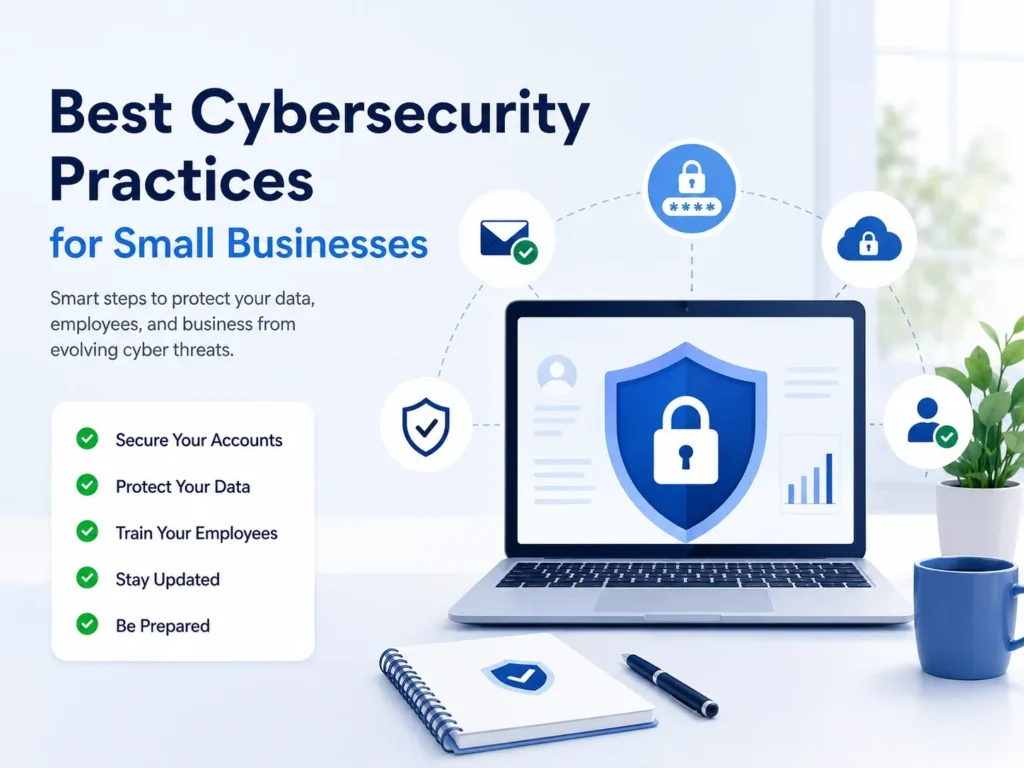
AI Generated
Last Updated on June 15, 2026 by Rishi
Cyberattacks are no longer limited to large corporations. Small businesses have become frequent targets because they often lack dedicated security teams and advanced protection systems. A single phishing email, weak password, or unpatched software vulnerability can lead to data breaches, financial losses, and reputational damage.
With ransomware, AI-powered scams, and cloud-based threats on the rise, cybersecurity has become a business necessity rather than an IT concern. In this article, we cover the importance of cybersecurity for small businesses, types of cyber threats small businesses can face, best practices to protect your company from these types of attacks, and emerging trends in this field.
Why Cybersecurity Matters for Small Businesses
Many business owners believe cybercriminals only target large organizations. In reality, attackers often focus on smaller companies because they typically have fewer security controls in place. A successful cyberattack can result in:
- Financial losses from fraud or ransomware
- Customer data breaches
- Operational downtime
- Legal and compliance issues
- Loss of customer trust
Whether you run an online store, consulting agency, startup, or local business, protecting sensitive information should be a top priority.
Common Cyber Threats Small Businesses Face
Understanding the risks is the first step toward building an effective cybersecurity strategy.
Phishing Attacks
Cybercriminals send fake emails or messages that appear legitimate to steal passwords, financial information, or sensitive business data.
Ransomware
Ransomware locks access to files and systems until a payment is made. Businesses without secure backups often face significant disruption.
Weak Passwords
Simple or reused passwords make it easier for attackers to gain unauthorized access to business accounts.
Insider Risks
Employees can unintentionally expose sensitive information through mistakes, unsafe file sharing, or poor security practices.
Cloud Security Issues
Misconfigured cloud storage and SaaS applications can leave business data publicly accessible.
Best Cybersecurity Practices for Small Businesses
Here are some of the practices small business owners should take to prevent cyber attacks.
Enable Multi-Factor Authentication (MFA)
Multi-factor authentication adds an extra layer of security beyond passwords. Even if login credentials are stolen, attackers cannot easily access accounts. Enable MFA for:
- Business email accounts
- Banking platforms
- CRM software
- Cloud storage
- Administrative accounts
Use Strong Password Policies
Passwords remain one of the most important security controls. Some of the best practices for protection against cyber attacks include:
- Using passwords with at least 12 characters
- Avoiding reused passwords
- Using a password manager
- Monitoring for compromised credentials
Keep Software Updated
Outdated software often contains known security vulnerabilities that attackers exploit. So, a regular update is necessary for the following types of software.
- Operating systems
- Web browsers
- Business applications
- Mobile devices
- Security software
Enabling automatic updates helps reduce risk and ensures security patches are installed promptly.
Invest in Employee Cybersecurity Training
Employees are often the first line of defense against cyber threats. Businesses should focus on effective employee cybersecurity training that should cover:
- Identifying phishing emails
- Safe browsing habits
- Password security
- Social engineering attacks
- Secure handling of business data
For example, a trained employee is more likely to verify a suspicious payment request before taking action, preventing potential fraud.
Back Up Critical Business Data
Backups are essential for business continuity. Follow the 3-2-1 backup rule and regularly test backups to ensure they can be restored when needed.
- Maintain three copies of important data
- Use two different storage methods
- Keep one backup offsite or offline
Control Access to Sensitive Information
Not every employee needs access to every system. Implement role-based access controls and follow the principle of least privilege, which grants users only the access required to perform their jobs. This reduces the risk of both insider threats and compromised accounts.
Secure Business Email
Email remains the primary entry point for many cyberattacks. Protect email systems by:
- Enabling MFA (Multi-Factor Authentication)
- Using spam and phishing filters
- Monitoring suspicious login activity
- Verifying payment and banking requests
These Simple verification procedures can prevent costly business email compromise scams.
Create an Incident Response Plan
No security system is perfect. Having a documented response plan helps businesses react quickly when an incident occurs.
Your plan should define:
- Who to contact
- Steps to contain the threat
- Data recovery procedures
- Customer communication processes
A well-prepared response can significantly reduce downtime and financial impact.
Evaluate Third-Party Vendors
Many businesses rely on cloud providers, payment processors, and software vendors.
Before sharing sensitive data, assess whether vendors follow strong security practices and maintain appropriate compliance standards.
Common Cybersecurity Mistakes to Avoid
- Assuming Your Business Is Too Small to Be Targeted
- Ignoring Employee Training
- Delaying Software Updates
- Sharing User Accounts
- Failing to Test Backups
Emerging Cybersecurity Trends for 2026
Small businesses should prepare for several evolving threats as mentioned below:
- AI-generated phishing attacks that appear more realistic than ever.
- Advanced ransomware campaigns focused on both encryption and data theft.
- Increased cloud security risks as businesses adopt more SaaS tools.
- Greater focus on cyber resilience, ensuring rapid recovery after incidents rather than relying solely on prevention.
Businesses that proactively adapt to these trends will be better positioned to reduce risk and maintain customer trust.
Conclusion
Implementing the best cybersecurity practices for small businesses does not require a large budget or a dedicated security team. By focusing on multi-factor authentication, strong passwords, employee cybersecurity training, secure backups, software updates, and access controls, businesses can significantly reduce their exposure to cyber threats.
Cybersecurity should be viewed as an ongoing business process rather than a one-time project. Taking proactive steps today can help protect customer data, maintain business operations, and strengthen trust in your brand for years to come.
Frequently Asked Questions
What is the biggest cybersecurity threat to small businesses?
Phishing attacks remain among the most common threats because they target employees via deceptive emails and messages.
How often should employees receive cybersecurity training?
At least once a year, with periodic refreshers and phishing awareness exercises throughout the year.
Is antivirus software enough to protect a small business?
No. Antivirus should be combined with MFA, employee training, backups, access controls, and regular updates.
What is the 3-2-1 backup strategy?
It means keeping three copies of data, using two storage types, and storing one copy offsite or offline.
What should a small business secure first?
Start by enabling multi-factor authentication, strengthening passwords, and securing business email accounts.

Rishi Pundir is an entrepreneur and author who enjoys exploring the latest business and technology trends, news, and insights across the web. He graduated in computer science and has years of experience in digital marketing. He is also passionate about writing in-depth articles on business, emerging technologies, innovations, digital marketing, and strategies for online business growth. He is the main editor of Trending Business Tips.