How to Write a Resume: A Step-by-Step Guide for Job Seekers
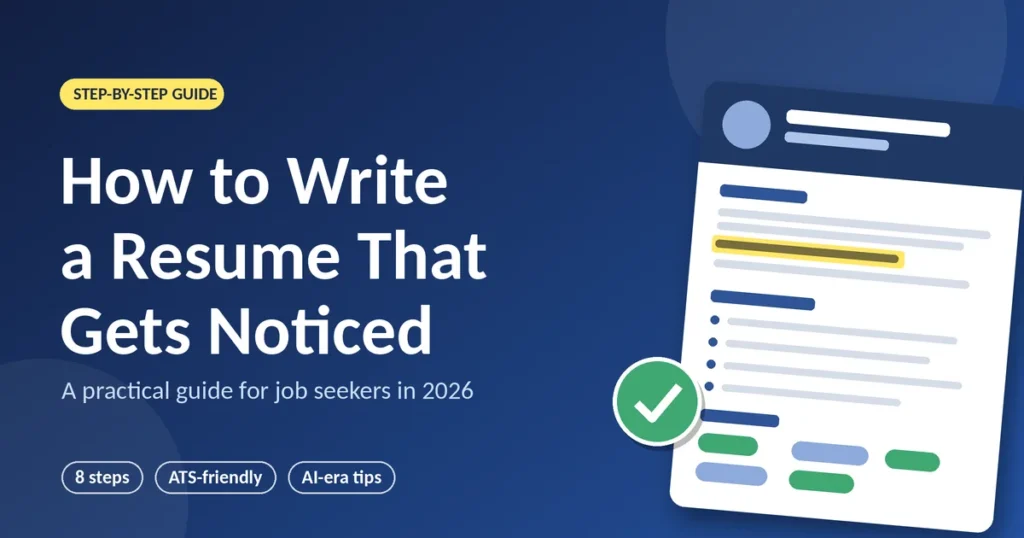
AI Generated
Last Updated on October 3, 2026 by Rishi
You’ve found a job that looks perfect. You open a blank document, type your name, and then nothing happens. Sound familiar?
Learning how to write a resume feels harder than it should. Nobody tells you what to include, how long it should run, or whether software will bin it before a human reads a word. Meanwhile, AI tools now let every applicant produce a polished document in minutes, so polish alone no longer stands out. Specific does.
This guide walks you through resume writing, from blank page to finished PDF. You’ll learn how to prepare, which format fits you, how to build each section, how to get past ATS screening, and which mistakes quietly cost interviews.
Why Resume Writing Matters More in 2026
Three shifts have changed the game, and each one affects how you should write.
Recruiters Skim Before They Read
HR Dive’s coverage of TheLadders’ 2018 eye-tracking study reports that recruiters spent an average of 7.4 seconds on the initial screen of a resume. It was a small study, so treat the number as a rough gauge rather than a law. The behaviour is real, though: recruiters make a quick fit-or-no-fit call by scanning job titles and section headings. Your resume has to survive that scan, so keep the layout simple and the headings clear.
The ATS Is a Search Tool, Not a Villain
Jobscan’s 2026 applicant tracking system report found an ATS at 97.4% of Fortune 500 companies, or 487 out of 500. Contrary to the popular myth, these systems rarely reject people on their own. They work more like a search engine, letting recruiters filter by keywords and must-have requirements. Using the right keywords naturally helps you get found.
AI Has Flooded the Inbox
A March 2026 Robert Half survey found that 67% of US HR leaders say reviewing AI-generated applications has slowed hiring, and 65% of hiring managers say the surge makes candidate skills harder to verify. Resume Genius adds that 58% of the 1,500 hiring managers it surveyed have received AI-written resumes or cover letters. The lesson: generic loses, and proof wins.
How to Start a Resume: Prepare Before You Write
The blank page is the hardest part, and you can sidestep it. Do these three things first.
- Pick a target role. A resume aimed at one kind of job beats one aimed at “anything.”
- Read three job descriptions. Highlight the skills, tools, and phrases that repeat. These are your keywords.
- Build a master resume. Dump every job, date, project, number, certificate, and link into one long document. It can run four pages. You’ll cut tailored copies from it later.
How to Create a Resume in 8 Steps
Step 1: Choose the Right Resume Format
Your resume format decides what a recruiter sees first. Here’s how the three main options compare.
| Format | Best for | Pros | Cons |
| Reverse-chronological | Steady work history | Familiar to recruiters and ATS-friendly | Exposes career gaps |
| Functional | Rarely advisable | Plays down gaps | Recruiters tend to be wary of it |
| Hybrid | Career changers, freelancers | Skills first, history second | Uses more space |
Unless you have a strong reason, go reverse-chronological.
Step 2: Add Clean Contact Details
Include your name, phone number, a professional email address, your city, and a LinkedIn or portfolio link. Skip the full postal address. Keep these details in the main body, because some systems miss text placed in headers and footers.
Step 3: Write a Short Professional Summary
Aim for two or three sentences covering who you are, your strongest proof, and what you want next. Compare these two:
- Weak: Hardworking professional seeking a challenging role in a reputed organisation.
- Stronger (illustrative): Operations analyst with four years in e-commerce logistics. Cut late deliveries by 18% by rebuilding carrier scorecards. Seeking to bring data-driven process improvement to a growing supply chain team.
Freshers can swap this for a one-line objective that names the role and a relevant project.
Step 4: Build a Results-Driven Work Experience Section
List roles newest first, with title, company, location, and dates. Under each, write three to five bullets using one formula: action verb + what you did + result.
- Before: Responsible for managing social media accounts.
- After (illustrative): Grew Instagram followers from 8,000 to 21,000 in six months by launching a weekly reel series.
No revenue figures? Use time saved, volume handled, team size, accuracy, or customer ratings. Any number beats none.
Step 5: List Relevant Skills
Pick six to ten hard skills and tools the job description actually mentions, such as Google Analytics 4, SQL, or Salesforce. Mirror the posting’s wording when it’s truthful. Drop vague claims like “team player”; your bullets already prove those.
Step 6: Add Education and Certifications
List your degree, institution, and year. Recent graduates can place this above experience. Add certifications only if they support the target role, and include grades only if they are strong or requested.
Step 7: Add Optional Sections That Earn Their Space
Smart resume ideas for extra sections include projects, volunteering, publications, languages, and awards. Freshers gain most from a projects section, while senior candidates can add a short “selected results” block. Add only what strengthens your case for this job.
Step 8: Tailor, Proofread, and Save
Spend 10 to 15 minutes per application adjusting the summary, reordering bullets, and echoing the posting’s key terms. Then proofread aloud, check your tenses, and ask a friend to review. Save as a PDF named Firstname-Lastname-Resume unless the employer requests Word. As a common guideline, use one page for under ten years of experience and two pages beyond that.
Best Resume Tips for Every Career Stage
Freshers and Students
Lead with education, projects, internships, and skills. Show proof through coursework, competitions, or freelance gigs.
Career Changers
Use a hybrid format. Open with a summary linking past results to the new role, and translate achievements into the new field’s language.
Experienced Professionals
Focus on the last 10 to 15 years, quantify your leadership scope, and shrink older roles to a single line.
How to Make Your Resume ATS-Friendly Without Keyword Stuffing
The goal is simple: make your resume easy for software to read and easy for people to trust.
- Use standard headings such as “Work Experience” and “Education.”
- Stick to a single-column layout. Avoid tables, text boxes, icons, and skill bars.
- Choose a clean font at 10 to 12 points.
- Weave job description keywords into real achievements instead of dumping them in a list.
- Spell out acronyms once, for example “search engine optimization (SEO).”
- Never hide white-text keywords. Recruiters notice, and trust disappears.
Using AI for Resume Writing: Pros and Cons
AI can be a useful assistant, as long as you stay in charge.
- Pro: It beats the blank page and tightens clumsy sentences.
- Pro: It suggests stronger action verbs and catches grammar slips.
- Con: It produces generic, same-sounding summaries.
- Con: It may invent or inflate details you’ll have to defend in an interview.
Use AI to draft and edit, but supply the facts yourself and rewrite every line in your own voice. If you can’t explain a bullet in an interview, delete it.
Resume Mistakes to Avoid
- Generic objectives with no proof behind them.
- Listing duties instead of achievements.
- Sending one identical resume to every employer.
- Fancy designs, columns, and graphics that confuse parsers.
- Typos and inconsistent formatting.
- Unprofessional email addresses or broken links.
- Exaggerating titles, dates, or skills, which tends to surface later.
- Padding to three pages.
What a Perfect Resume Looks Like
No resume is truly perfect, but you can get close. Run this checklist before you hit send:
- A stranger can name your target role within five seconds.
- Every bullet shows an action and a result.
- Key terms from the job description appear naturally.
- Formatting is consistent and fits one or two pages.
- Contact details and links work.
- A friend has proofread it.
Conclusion
Writing a resume comes down to five habits: prepare before you write, choose a clean reverse-chronological format, prove your value with numbers, tailor every application, and proofread ruthlessly. Use AI as a helper, not a ghostwriter, and keep keywords natural so both software and people can find you.
Start today. Open your master resume, pick one job posting, and tailor your summary and top three bullets. That single step will take you further than another hour of polishing. Your next opportunity could be one well-aimed resume away.
Frequently Asked Questions
How do I start writing a resume with no experience?
Lead with education, projects, internships, volunteering, and skills. Add a one-line objective naming your target role, and keep everything to one page.
How long should a resume be?
One page for early-career candidates and two pages for ten-plus years of relevant experience. Cut anything that doesn’t support the job you want.
What is the best resume format?
Reverse-chronological works for most people. Career changers and freelancers often do better with a hybrid format.
Should I include a photo or personal details?
Conventions differ by country and employer, so follow the job posting. Leave off sensitive details such as ID numbers, and add a photo or date of birth only if it’s expected.
Do I need a different resume for every job?
Keep one master version and tailor a copy for each application. Updating the summary, skills, and top bullets usually takes 10 to 15 minutes.
Is it okay to use AI to write my resume?
Yes, for drafting and editing. Make sure every fact is true, personalise the wording, and be ready to discuss every line.
Should I save my resume as a PDF or Word file?
Follow the employer’s instructions. If none are given, a PDF keeps your layout intact, and most modern systems read it well.
What should a resume summary include?
Your role or specialty, your strongest proof point, and the kind of position you want, in two to three sentences.
Related Articles:
How to Write a Professional Email
How to Write Better Prompts

Rishi Pundir is an entrepreneur and author who enjoys exploring the latest business and technology trends, news, and insights across the web. He graduated in computer science and has years of experience in digital marketing. He is also passionate about writing in-depth articles on business, emerging technologies, innovations, digital marketing, and strategies for online business growth. He is the main editor of Trending Business Tips.