Cloud Computing for Small Business: How to Cut IT Costs and Work Smarter
AI Generated
Last Updated on October 2, 2026 by Garima Gaur
Picture a Monday morning. The office server has crashed, nobody can open the billing files, and the one person who understands IT is on leave. For a small business, that means a stressful day and an unplanned bill.
This is the problem cloud computing solves. Instead of buying and babysitting your own machines, you rent computing power, storage and software from a provider and pay for what you use. Adoption keeps rising: Gartner forecasts India’s end-user public cloud spending to grow 28.1% to $17.5 billion in 2026.
In this guide, you’ll learn how cloud computing works, where the real savings come from, which mistakes quietly drain budgets, and how to start without disrupting your daily work.
What Is Cloud Computing?
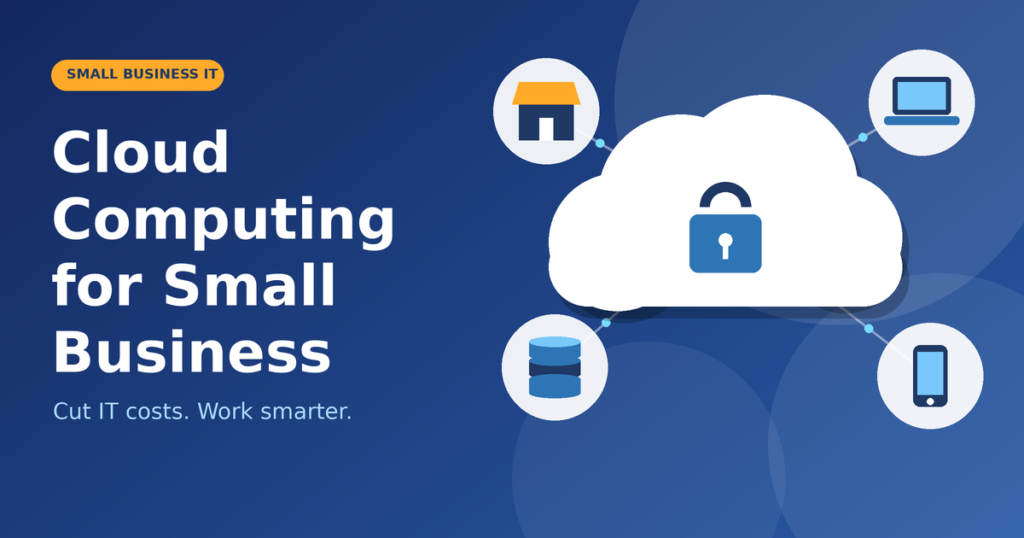
Cloud computing means using servers, storage, databases and software over the internet instead of running them in your own office. The U.S. National Institute of Standards and Technology (NIST) defines it as convenient, on-demand access to a shared pool of computing resources that can be set up with minimal effort.
Think of electricity. You don’t run a generator at home; you plug into the grid and pay for the units you use. Cloud services work the same way.
How Does Cloud Computing Work?
Three ideas sit behind the simple login screen.
Data Centers and Virtualization
Providers such as AWS, Microsoft Azure and Google Cloud operate huge data centers full of servers. Virtualization software splits each physical server into many isolated virtual machines, so one machine can serve several customers at once. That sharing keeps prices low.
Metered, Pay-As-You-Go Pricing
Usage is measured like a utility meter. You pay for the storage, computing time or user licenses you consume, and you can scale up or down within minutes. NIST lists on-demand self-service, resource pooling, rapid elasticity and measured service among the five essential characteristics of the cloud.
Three Cloud Service Models
| Model | What you get | Small business example |
| SaaS | Ready-to-use software in a browser | Google Workspace, Microsoft 365, Zoho CRM |
| PaaS | A platform to build and run apps | A custom booking app, no server management |
| IaaS | Virtual servers and storage | Hosting your website or ERP on AWS or Azure |
Most small firms start with SaaS and add the others only when a real need appears.
How Cloud Computing Helps Small Businesses Reduce IT Costs
Here is where cloud computing technology earns its place on the balance sheet.
Lower Upfront Spending
Servers, networking gear and software licenses mean a large one-time outlay. With cloud services for small business, that capital expense becomes a predictable monthly subscription, which is far kinder to cash flow.
Pay Only for What You Use
An online store can add capacity for the Diwali rush and scale back in January. On-premises hardware must be sized for your busiest day and sits idle the rest of the year.
Less Maintenance, Fewer Emergencies
Patching, hardware replacement, cooling and power shift to the provider. Your team spends less time firefighting and more time on customers.
| Cost area | On-premises IT | Cloud-based solutions |
| Upfront cost | High: hardware and licenses | Low: monthly subscription |
| Maintenance | Your team or a vendor | Mostly the provider |
| Scaling | Buy and install more | Adjust in minutes |
| Backup and recovery | Self-managed | Built-in options |
| Upgrades | Periodic and disruptive | Continuous |
How to Compare Costs Honestly
Many online posts quote sweeping savings percentages without proof. Run your own three-year comparison instead:
- On-premises: hardware, licenses, electricity, support contracts, staff time and replacement.
- Cloud: subscription × users × 36 months, plus migration, training and any storage or data transfer fees.
Count the hidden items on both sides, and the better option usually becomes obvious.
How Cloud Computing Improves Efficiency
Cost is only half the story. The bigger win is often time.
- Work from anywhere: files and apps open on any device, so remote and field teams stay in sync.
- Real-time collaboration: co-editing in Google Workspace or Microsoft 365 replaces endless “final_v7” email attachments.
- Automatic updates: patches and new features arrive without weekend downtime.
- Faster setup: a new employee or tool can be live in hours, not weeks.
- Better continuity: copies of your data in separate locations support disaster recovery after hardware failure, theft or floods.
What About Cloud Security?
It is the top worry, and a fair one. IBM’s 2026 Cost of a Data Breach Report puts the global average breach at $4.99 million, up 12% from the year before. A small firm’s loss will be lower, but a serious breach can still sink it. Reputable providers invest in encryption and monitoring that few small teams could afford alone.
The catch is shared responsibility: the provider secures the infrastructure, while you control who gets access. Turn on multi-factor authentication and limit permissions to what each person needs.
Cloud Computing for Companies: Three Typical Scenarios
- Retail shop: moves its website to cloud hosting and adds capacity only during sale season.
- Small accounting firm: uses cloud accounting and secure file sharing, so staff can work from home during filing deadlines.
- Design agency: keeps projects in shared cloud storage and onboards freelancers with one invite instead of shipping laptops.
These are illustrative scenarios, not case studies, but the pattern holds: start with one pain point, then expand.
Pros and Cons of Cloud Computing for Small Business
| Pros | Cons |
| Low upfront cost | Subscriptions add up over time |
| Easy scaling | Depends on reliable internet |
| Remote access | Vendor lock-in risk |
| Provider-grade security and backups | Possible data transfer and storage fees |
| Automatic updates | Privacy and data-location checks (such as India’s DPDP Act) |
Common Mistakes to Avoid When Moving to the Cloud
- Moving everything at once. Migrate in phases so problems stay small.
- Ignoring the bill. In Flexera’s 2026 State of the Cloud report, respondents estimated 29% of infrastructure and platform spend was wasted, the first rise in five years. Set budget alerts and shut down idle resources.
- Skipping security basics. Use multi-factor authentication, least-privilege access and tested backups.
- Having no exit plan. Confirm you can export your data in a usable format before you sign.
- Forgetting training. A tool nobody understands is money wasted.
- Missing hidden fees. Check data transfer, storage overage and premium support charges.
A Simple 5-Step Cloud Migration Plan
- Audit what you run today: list apps, data, users and yearly costs.
- Pick quick wins: email, cloud storage, accounting and CRM move easily.
- Shortlist providers: compare pricing transparency, support hours, export options and, if latency or data location matters, whether data centers are in India.
- Run a pilot: move one team first and keep the old system until things are stable.
- Train and review: set budgets, then check bills monthly for the first quarter and quarterly after that.
Cloud Trends Small Businesses Should Watch
- AI inside everyday tools: Gartner ties India’s cloud growth to demand for AI-ready infrastructure, and AI features are reaching ordinary SaaS plans. Set a simple AI-use policy, since IBM’s 2025 report found heavy unapproved “shadow AI” use added $670,000 to average breach costs.
- Data residency: Gartner forecasts $80 billion in sovereign cloud IaaS spending in 2026, up 35.6%, a sign that where data lives matters more.
- Cost discipline: basic FinOps habits, such as tagging resources and monthly reviews, are no longer only for large enterprises.
Conclusion
- Cloud computing gives small businesses what once belonged to big companies: flexible costs, dependable tools and the freedom to work from anywhere. The savings are real but not automatic. They come from choosing the right cloud services, watching usage and securing access properly.
- Start small. Pick one aging system this month, such as email or file storage, price it against a cloud alternative and run a pilot. Your IT should work for your business, not the other way around.
FAQs About Cloud Computing for Small Business
What is cloud computing in simple words?
It is using software, storage and servers over the internet instead of owning them. You pay for what you use, like a utility bill.
Is cloud computing cheaper than on-premises servers?
Usually, for small businesses, because you avoid big upfront purchases and maintenance. Still, compare three-year totals, since unmanaged cloud bills can climb.
Which cloud services should a small business start with?
Begin with SaaS such as email and collaboration suites, cloud storage, and accounting or CRM tools. They are quick to adopt and low risk.
Is the cloud safe for business data?
Yes, when configured well. Major providers secure the infrastructure; you manage passwords, access rights and backups.
What are the hidden costs of cloud computing?
Data transfer fees, storage overages, premium support, extra licenses and staff training.
Do I still need an IT person?
Often yes, but the role shifts from fixing hardware to managing access, costs and vendors. A part-time consultant may be enough.
How long does cloud migration take?
Simple tools like email or file storage typically move in days to a few weeks. ERP systems and custom applications take longer and need planning.

Garima Gaur is a senior writer and also a renowned guest author on many popular platforms like goodmenproject.com. She loves to write on topics like business, finance, technology, marketing, and many more.